Your shortcuts in the
macOS menu bar
Files, folders, web links, network shares… Everything is accessible in a single click, without cluttering the Dock.
Download for macOS100% free · Notarized by Apple · macOS 13+
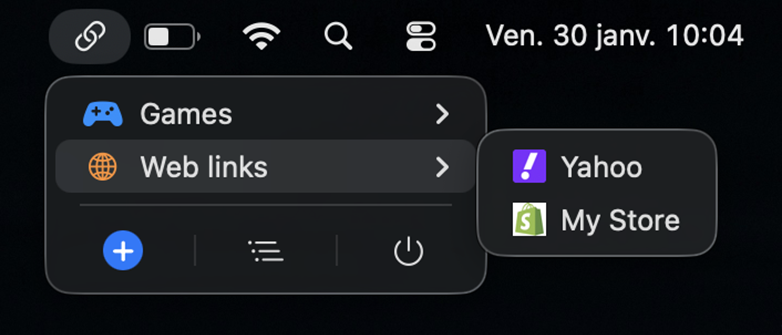
Files, folders, web links, network shares… Everything is accessible in a single click, without cluttering the Dock.
Download for macOS
Click the menu bar icon to display all your links. Open a file, folder, website, or network volume in an instant.
Create groups and subgroups to organize your shortcuts as you see fit (up to 4 levels deep). Customize each group with over 35 icons and 9 colors.
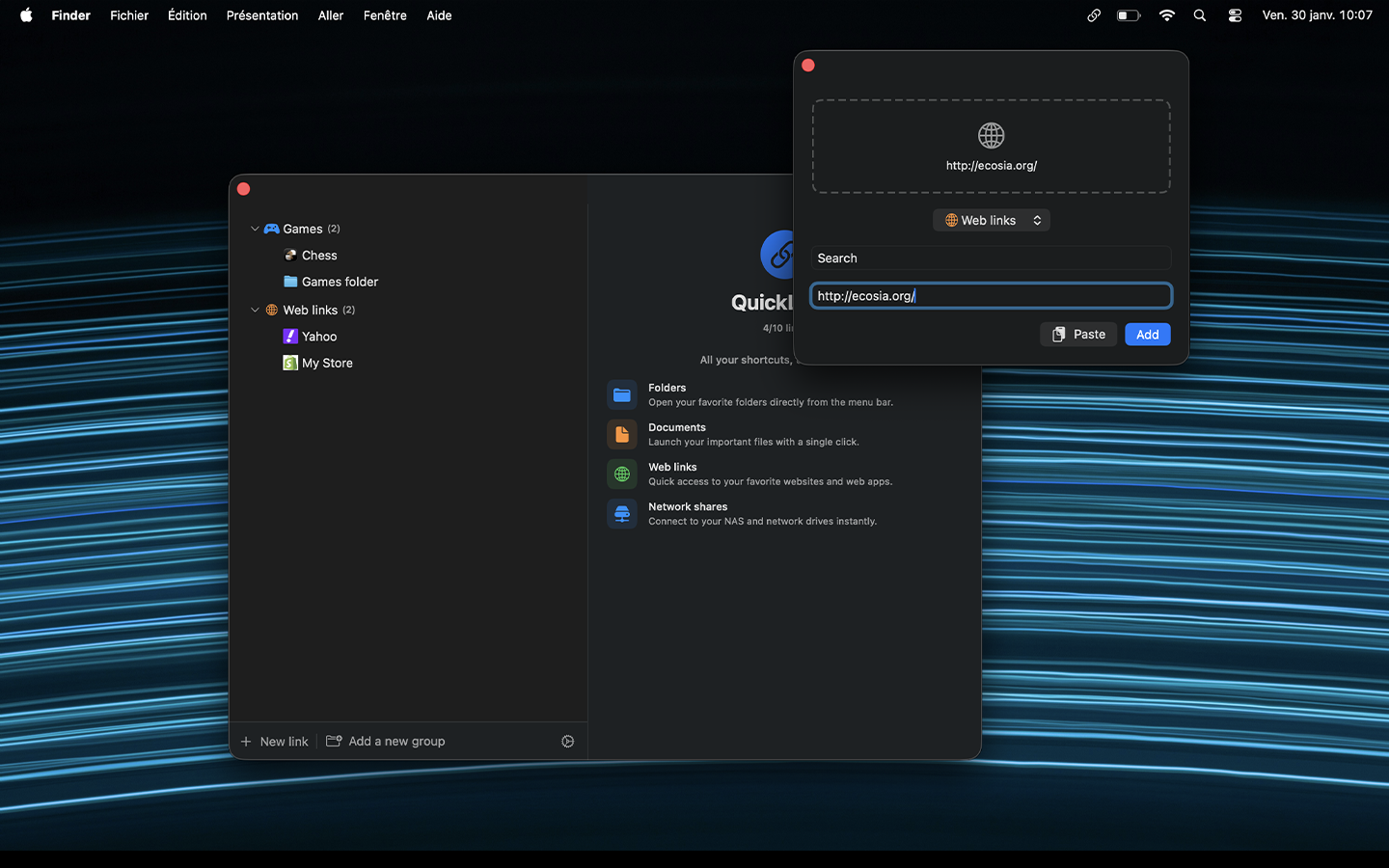
Drag and drop a file, folder, or link directly into the quick add window. QuickLinks automatically detects the link type and fetches website favicons.
QuickLinks automatically detects mounted network volumes (SMB, AFP, NFS, VNC) and converts local paths to network URLs for reliable access.
File moved or deleted? QuickLinks alerts you and offers to locate it again.
No limits, no in-app purchases. Everything is available from the first launch.
Add as many links as you want. No restrictions.
Your links automatically synced across all your Macs.
Choose your menu bar icon.
Weather, clipboard, calendar, network, QuickLaunch — right in the menu bar.
Open your links menu wherever your mouse pointer is.
Free download, no account, no ads.
Download for macOSquickLinks is free and built on my free time. If the app is useful to you, a small coffee is always appreciated ☕
Buy me a coffeeLast updated: October 20, 2026
quickLinks respects your privacy. This policy explains how we handle your information.
quickLinks does not collect, store, or transmit any personal data. All your data stays on your device.
If you enable iCloud sync, your links are stored in your own iCloud container. Apple manages the sync; we never have access to it.
The app periodically queries apidom.com to detect a new version. This request transmits no personal data; only your IP address appears in standard web server access logs and is never cross-referenced or retained for identification.
If you choose to support the project, you are redirected to buymeacoffee.com/quicklinks. The transaction is handled by their platform — refer to their privacy policy for details.
We do not use any analytics or tracking tools.
For any questions: hello@apidom.com